Free browser till for independent businesses
A proper till, in your browser.
Proper useful. Proper private. Proper free.
Set up your products, make sales and understand your business, all without accounts, subscriptions or sending your business data to somebody else's server.
Proper Till is new. It works and it is free to use, and it has not yet been through a busy trading day on real shop hardware, so keep downloading backups.
Your till data stays in this browser.
Start your way
Choose a starter pack
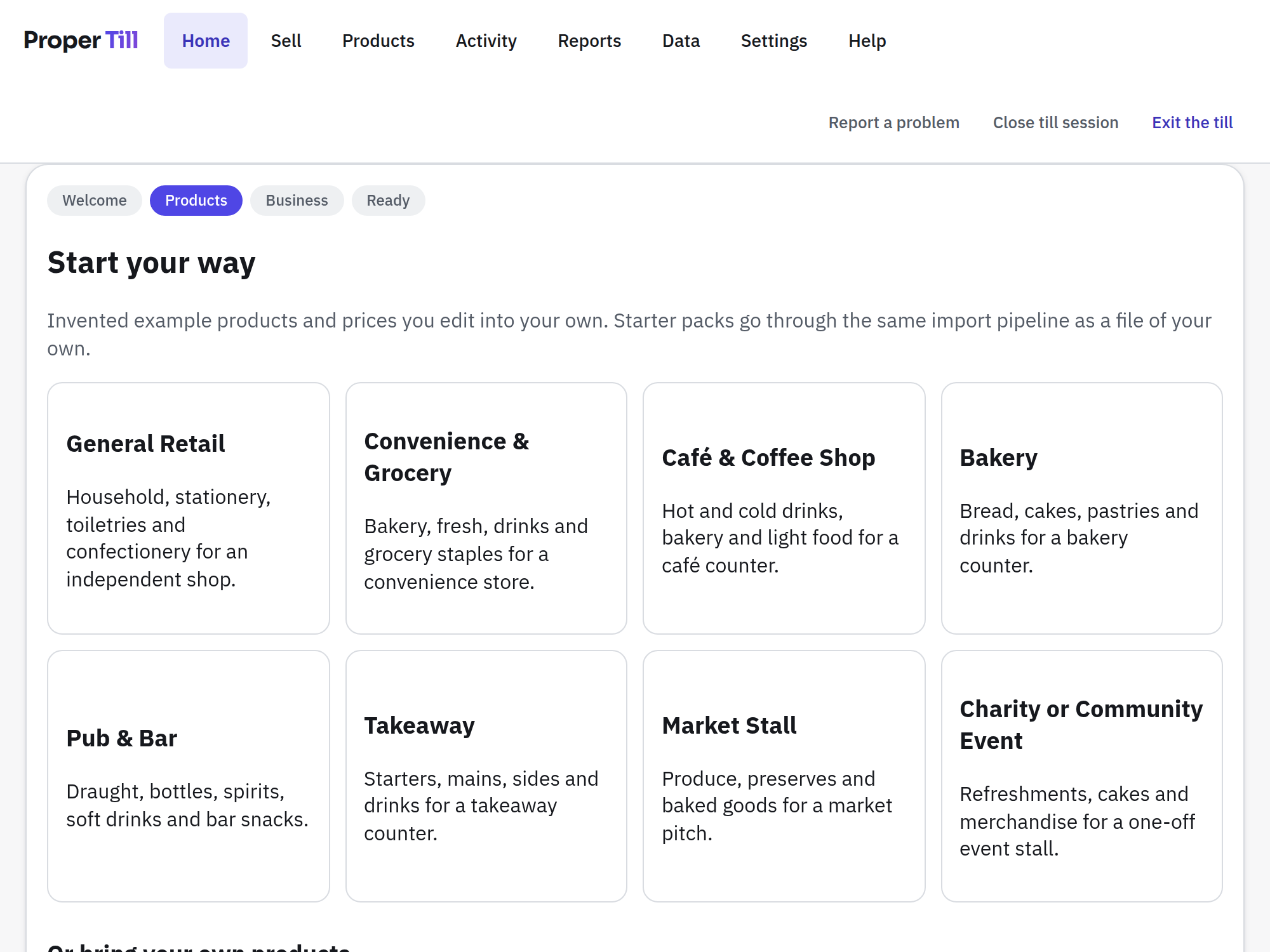
Begin with a ready-made layout for a shop, café, bakery, pub, takeaway, market stall or community event, with invented example products and prices you edit into your own.
Upload your products
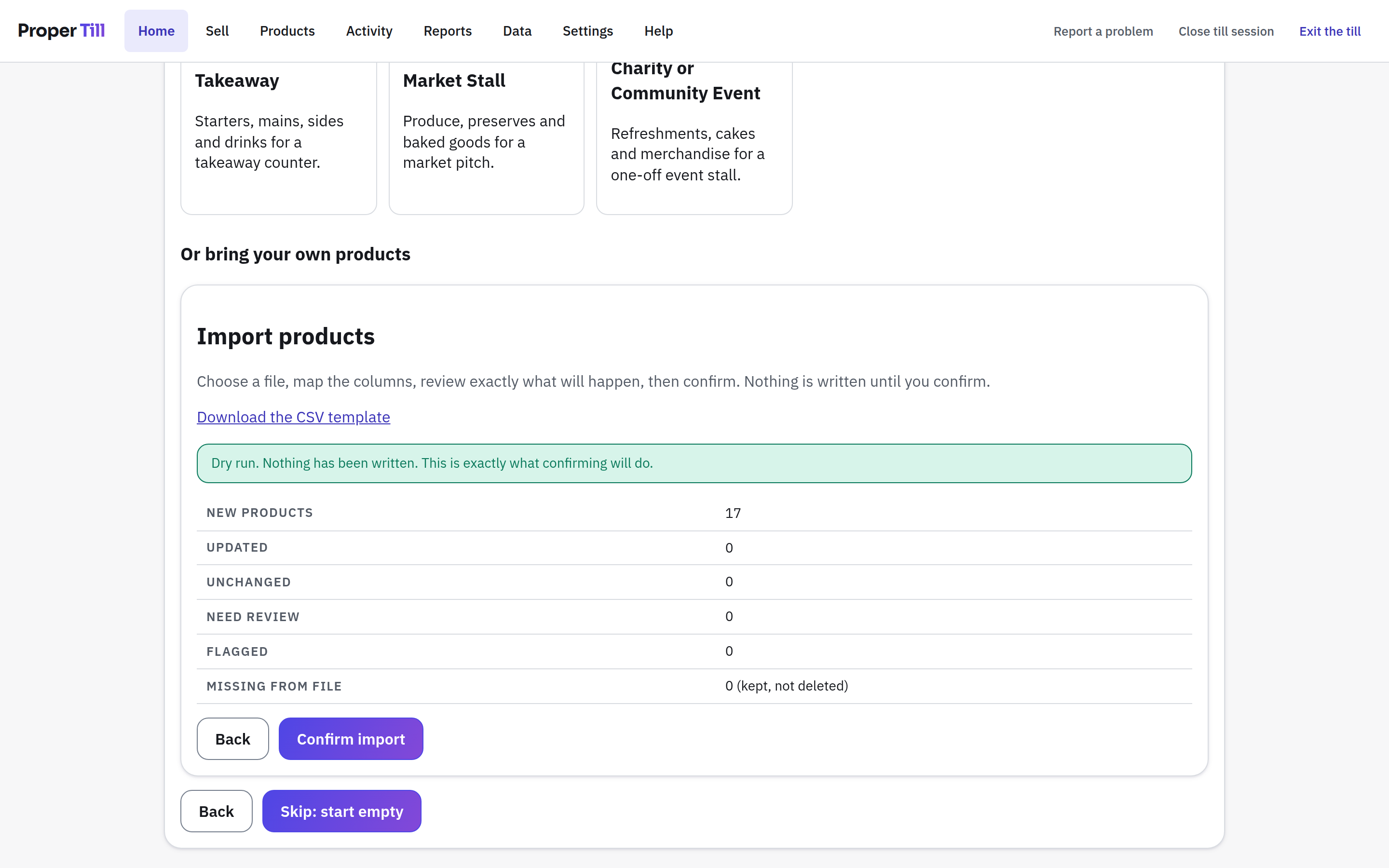
Import an existing CSV or spreadsheet export, map the columns, and review everything before a single product is added. Nothing is written until you confirm.
Build an empty till
Start clean and add only the products and buttons you need. A first till can be a dozen buttons and a cash drawer.
Built for the counter
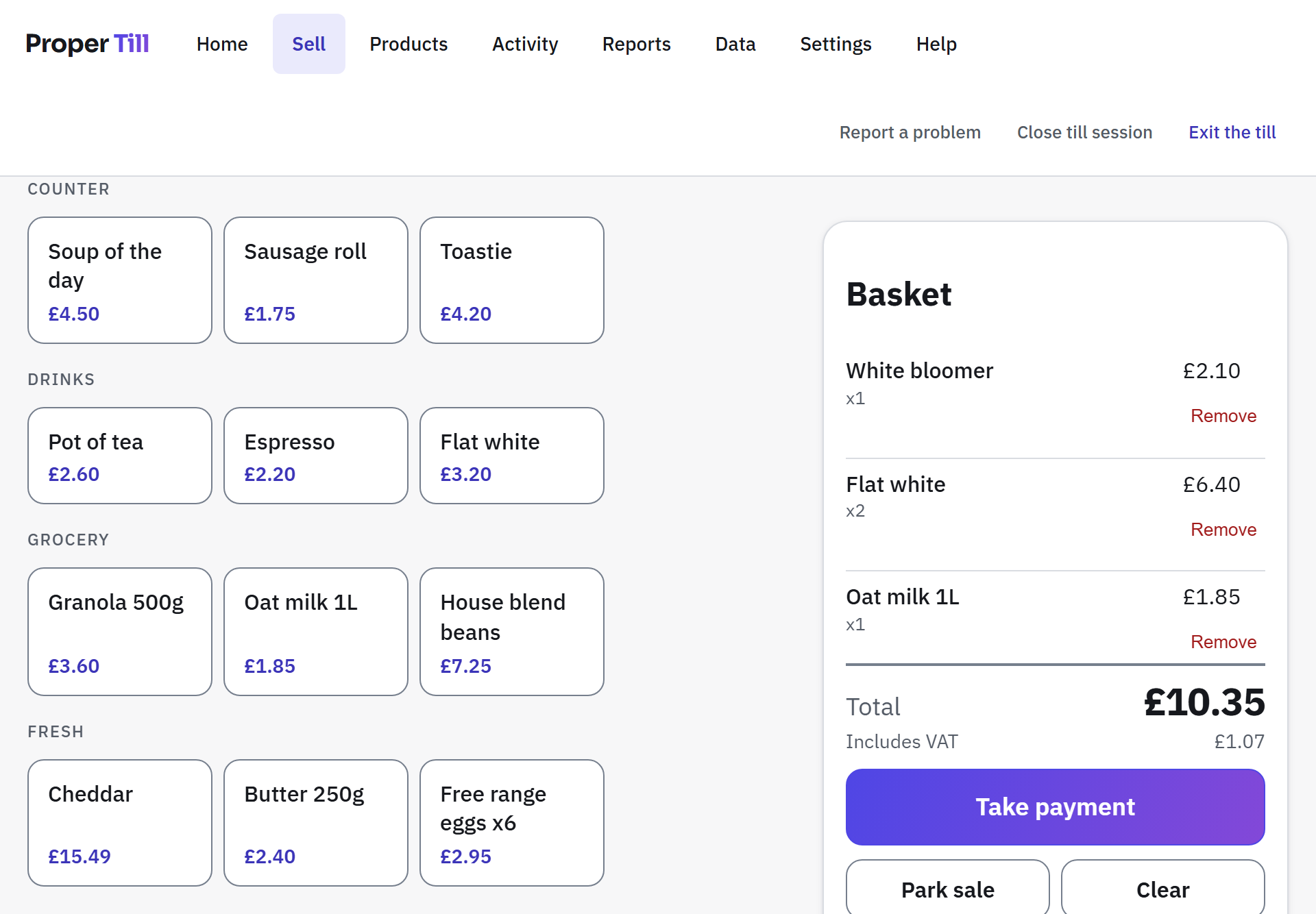
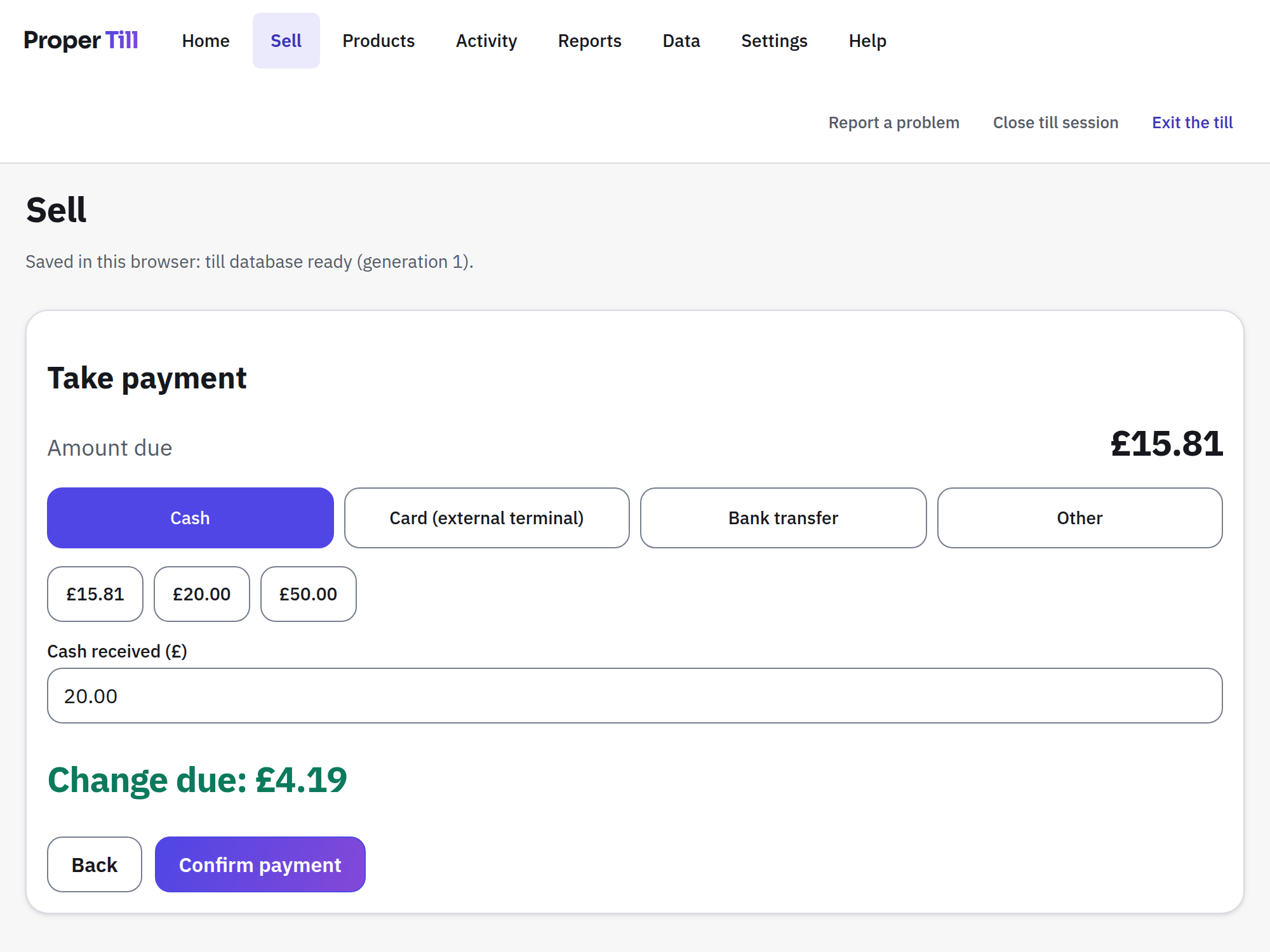
Big touch targets, categories and favourites where your thumbs expect them, and a basket that never scrolls out of sight. Counted and weighed products, cash change worked out for you, card payments recorded from the terminal you already own, and park & recall for the customer who forgot the milk.
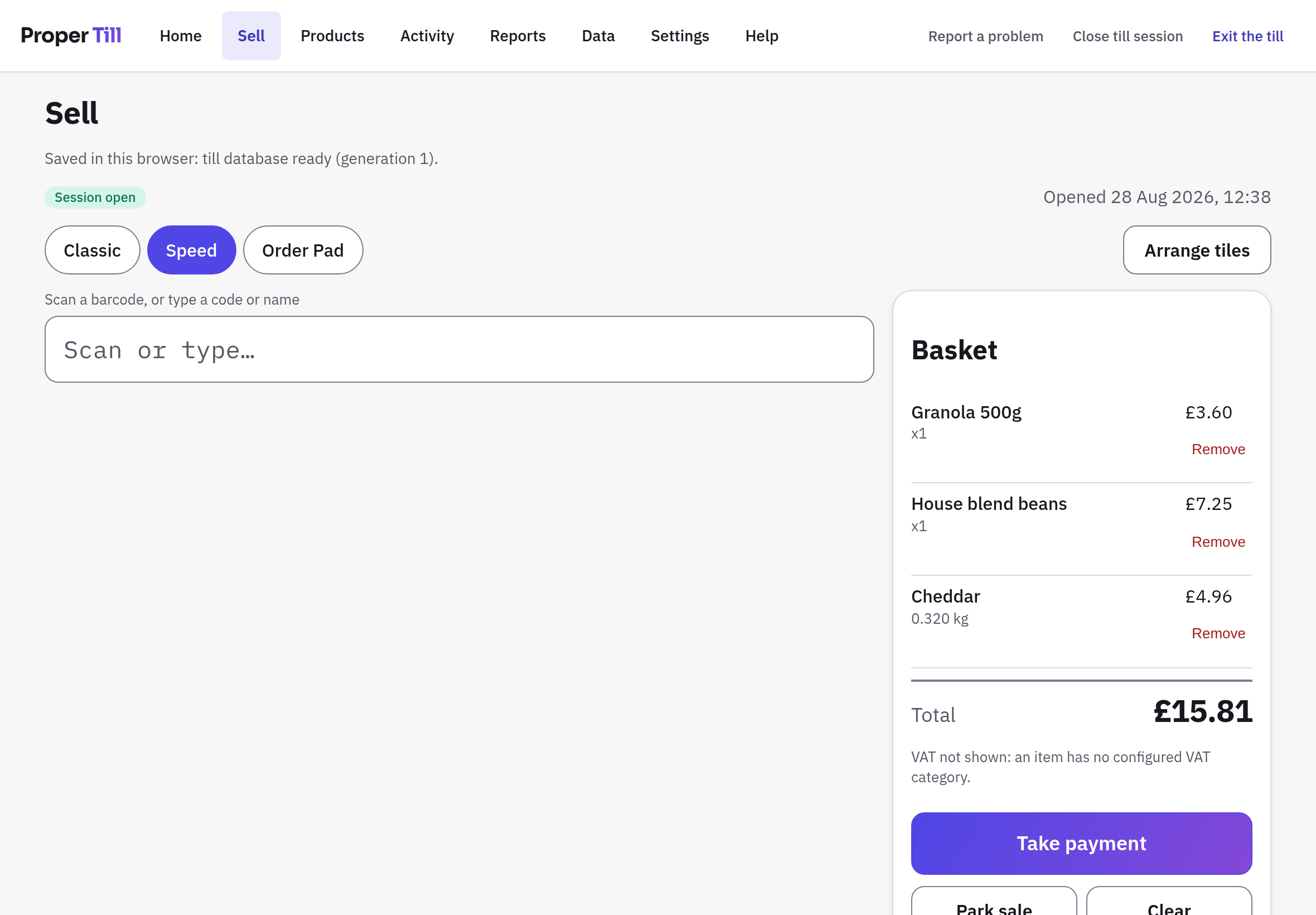
Works with touch, mouse, keyboard and keyboard-wedge barcode scanners (the kind that types the code like keyboard input, which is most of them).
Start with the products you already have
Bring a CSV or spreadsheet from your old system, your supplier or the downloadable template. Proper Till suggests the column mapping, shows you exactly what will be created, updated or flagged, and commits only when you say so. Barcodes keep their leading zeroes; VAT categories arrive as proposals for you to confirm, never as facts.
The back office without the back-office bloat
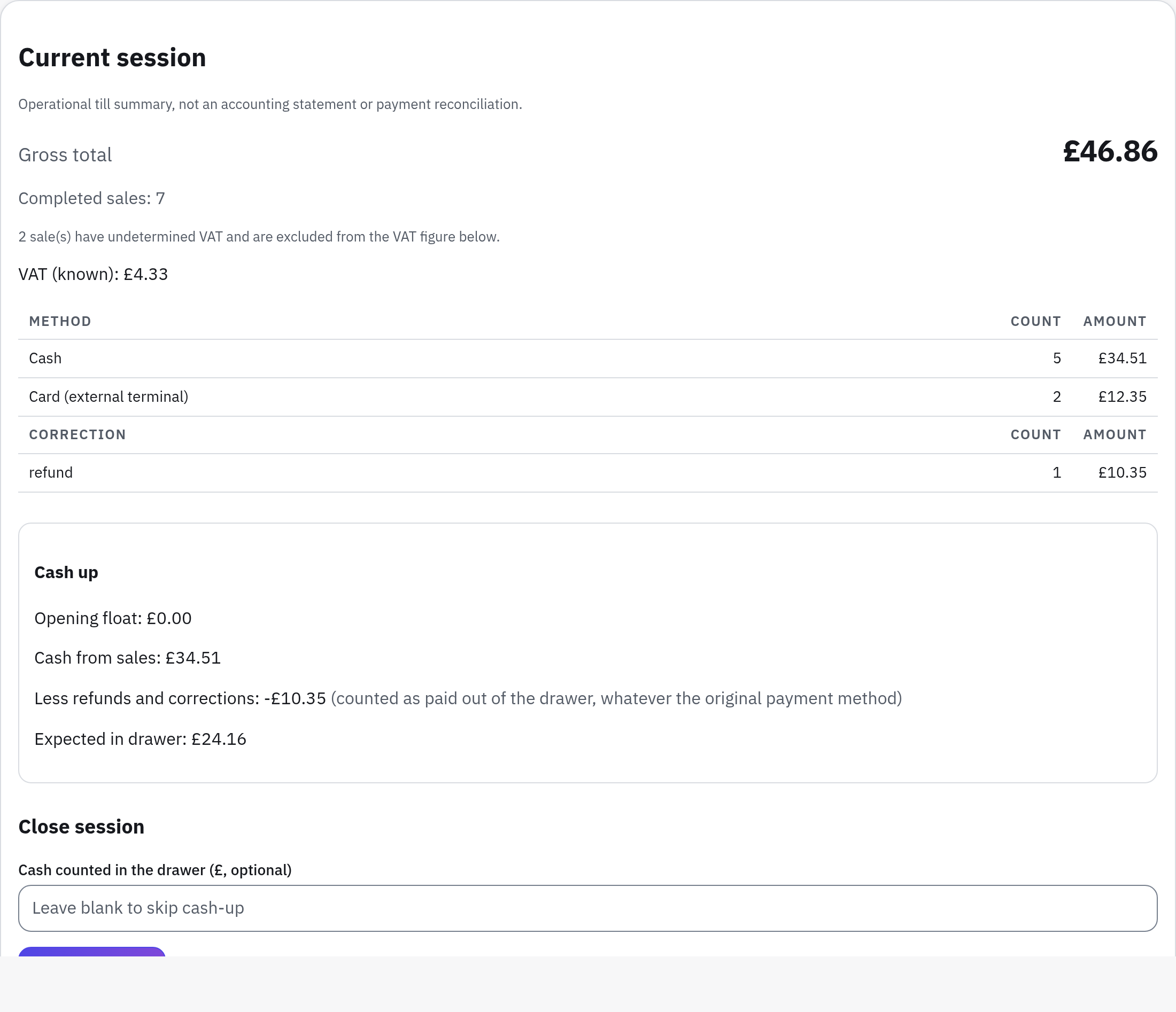
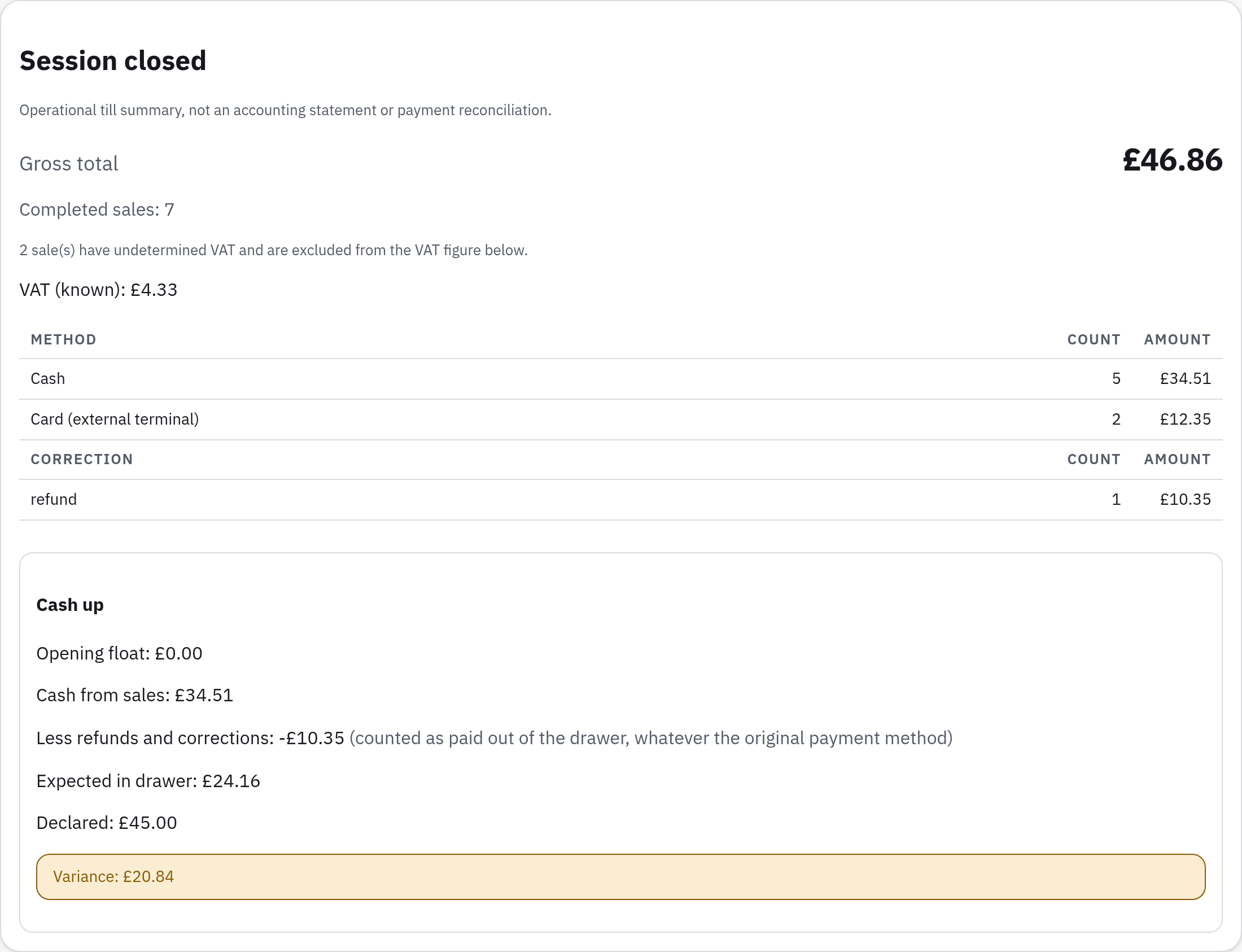
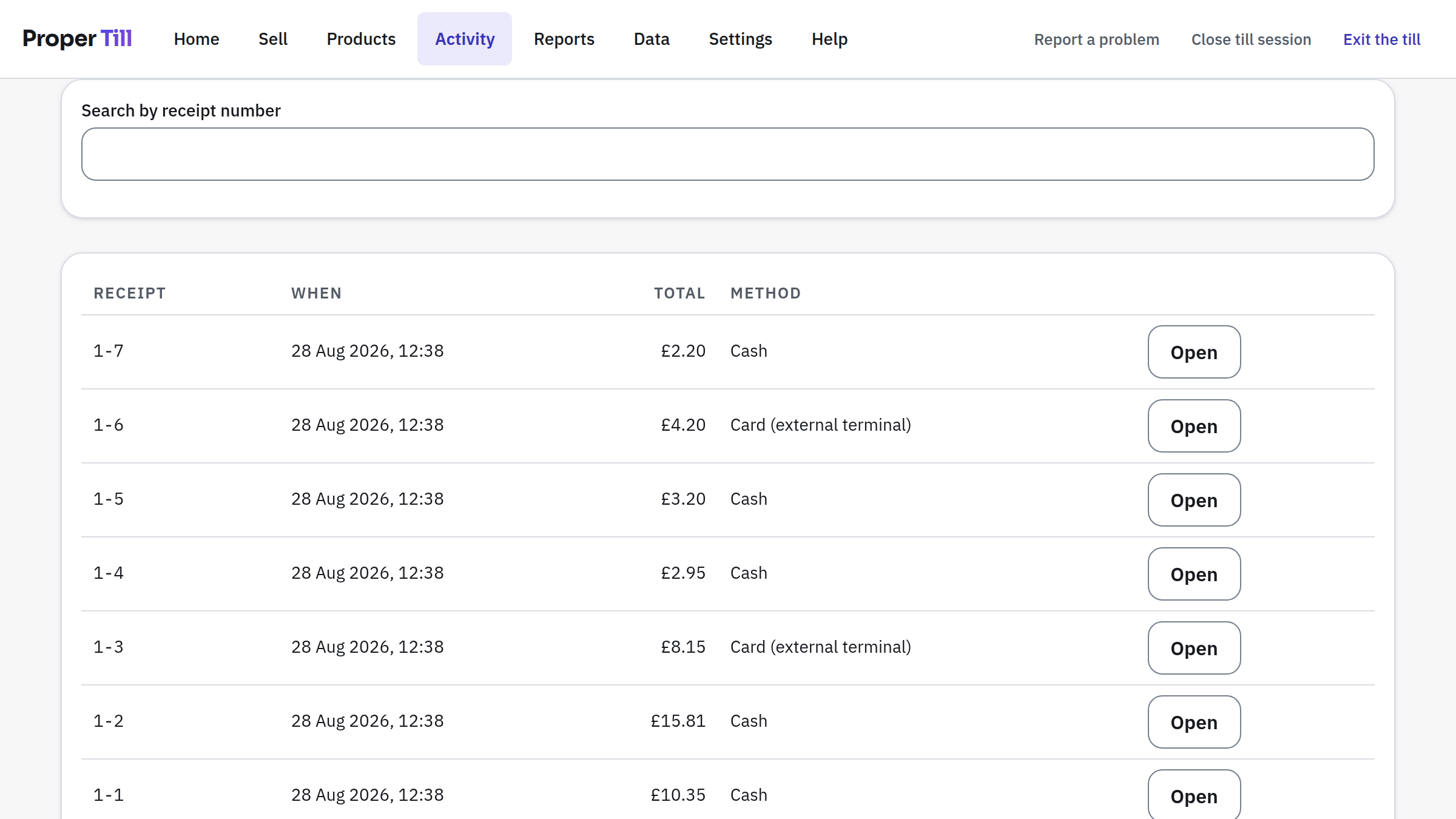
Sales history with receipt lookup and reprints, linked refunds, session cash-up with an expected-cash figure and variance, discounts on their own report, and turnover with an unresolved VAT category kept visibly separate, never quietly merged into a total. Everything exports to spreadsheet-safe CSV.
Operational till summaries, not an accounting system, a VAT return or bank reconciliation, and Proper Till never pretends otherwise.
Take the till with you
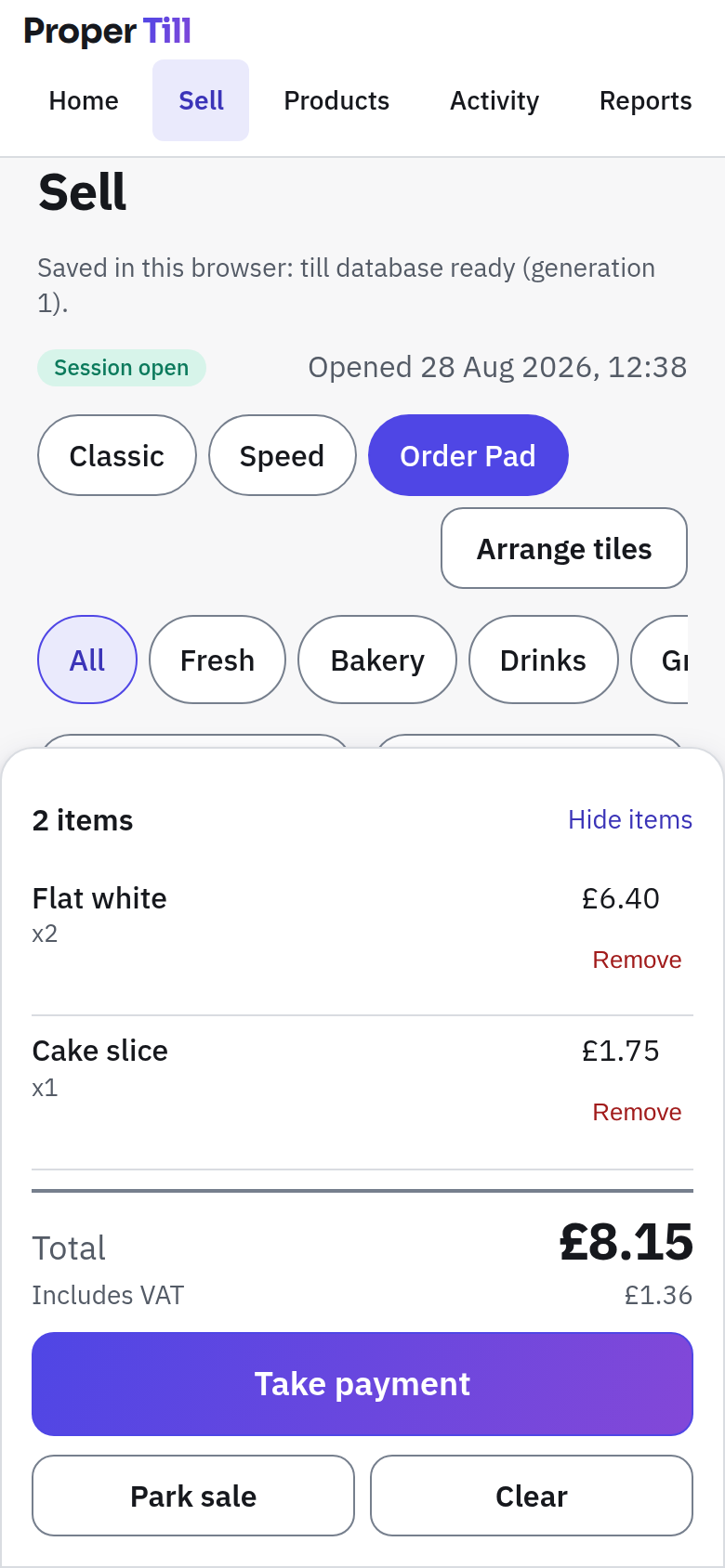
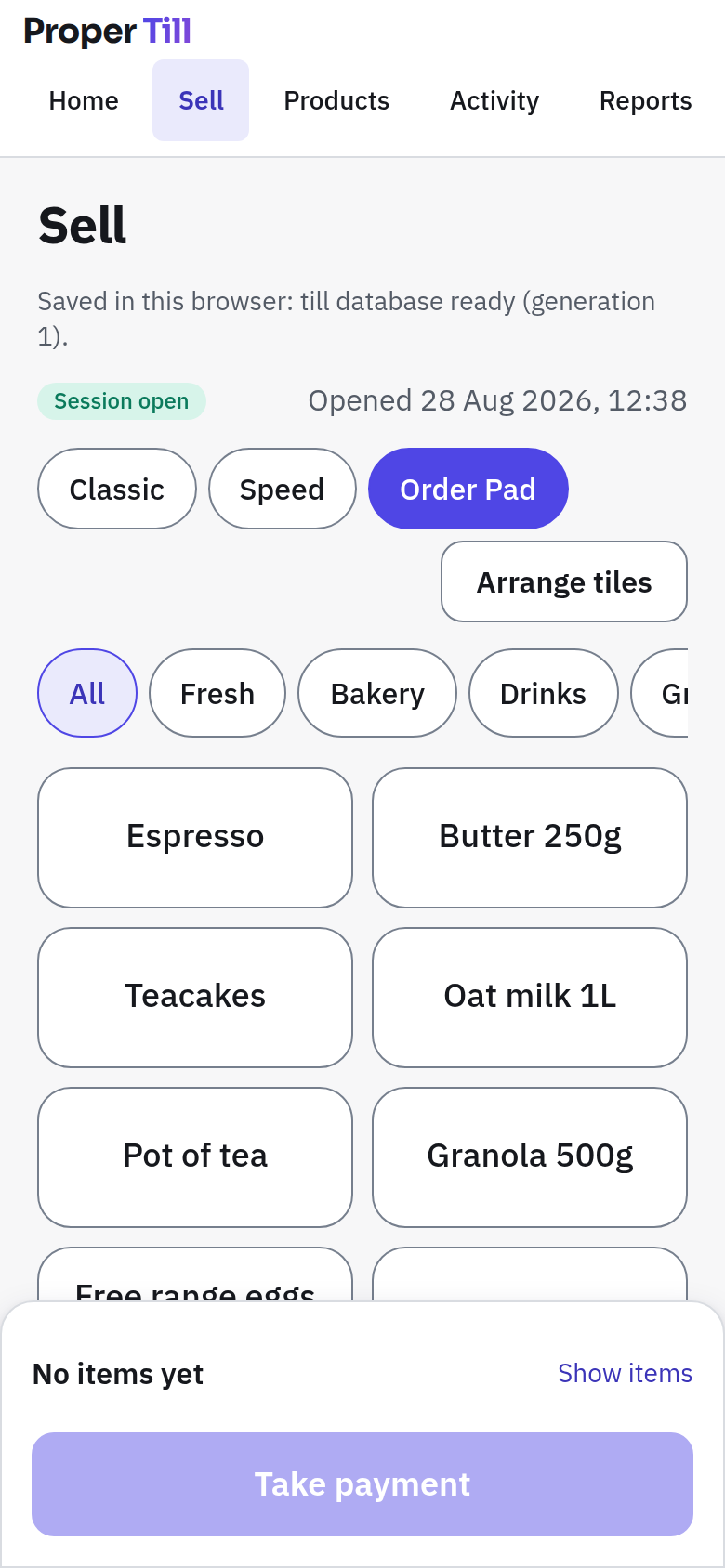
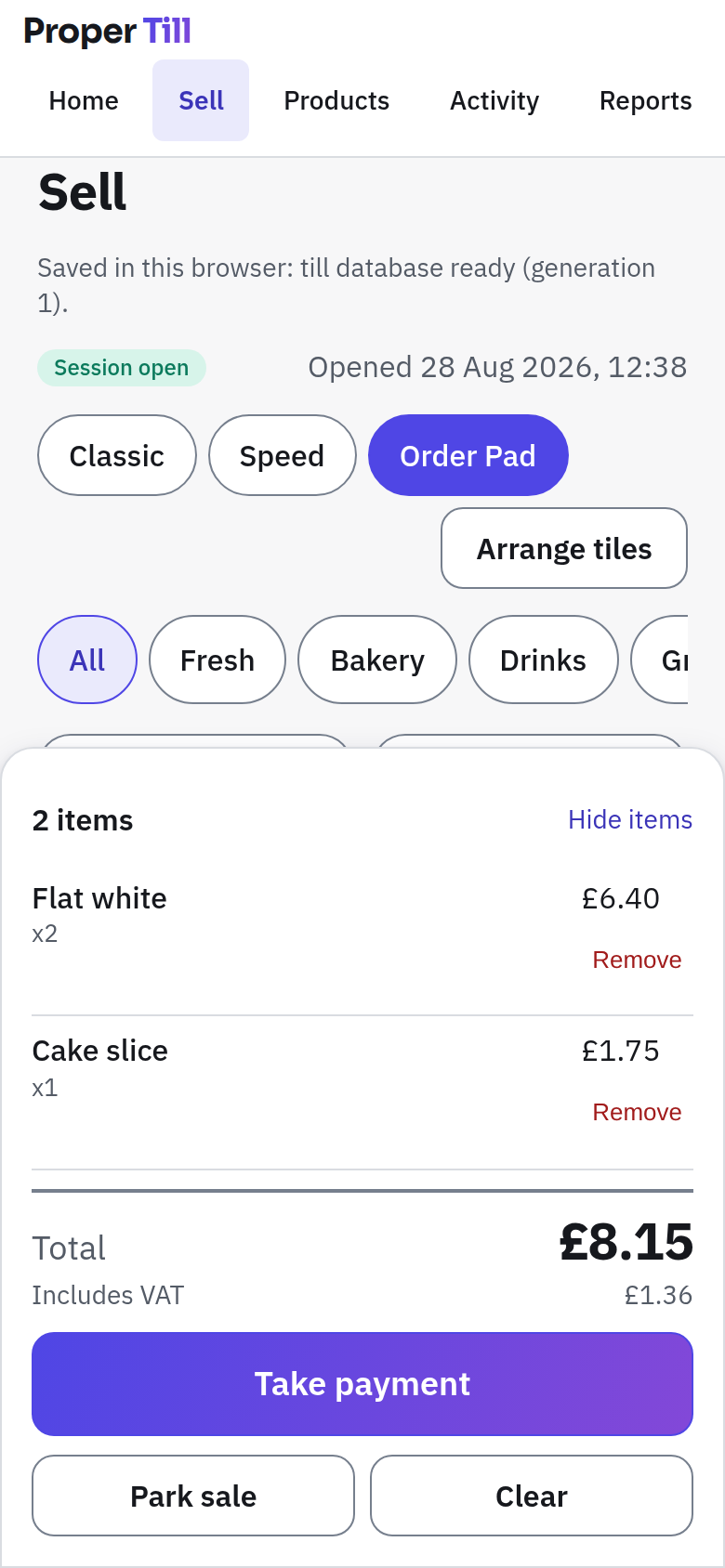
Order Pad puts the same catalogue and the same pricing engine on a phone: large product and quantity controls, a running basket you can check any time, and a clearly unpaid draft until it is rung through. Built for a market stall, table service or the queue out the door, with no hover tricks and no tiny targets.
Simple first, powerful when needed
Ready immediately
Products, basket, payment and receipts. Ring your first sale minutes after choosing a starter pack.
There when you need it
Imports, layouts, sales history, refunds, cash-up, reports and backups, easy to find, never crowding the till.
Advanced without clutter
VAT rate versions, receipt numbering, mapping presets, storage diagnostics and a deliberate, guarded reset.
Your till lives here. Your backup goes with you.
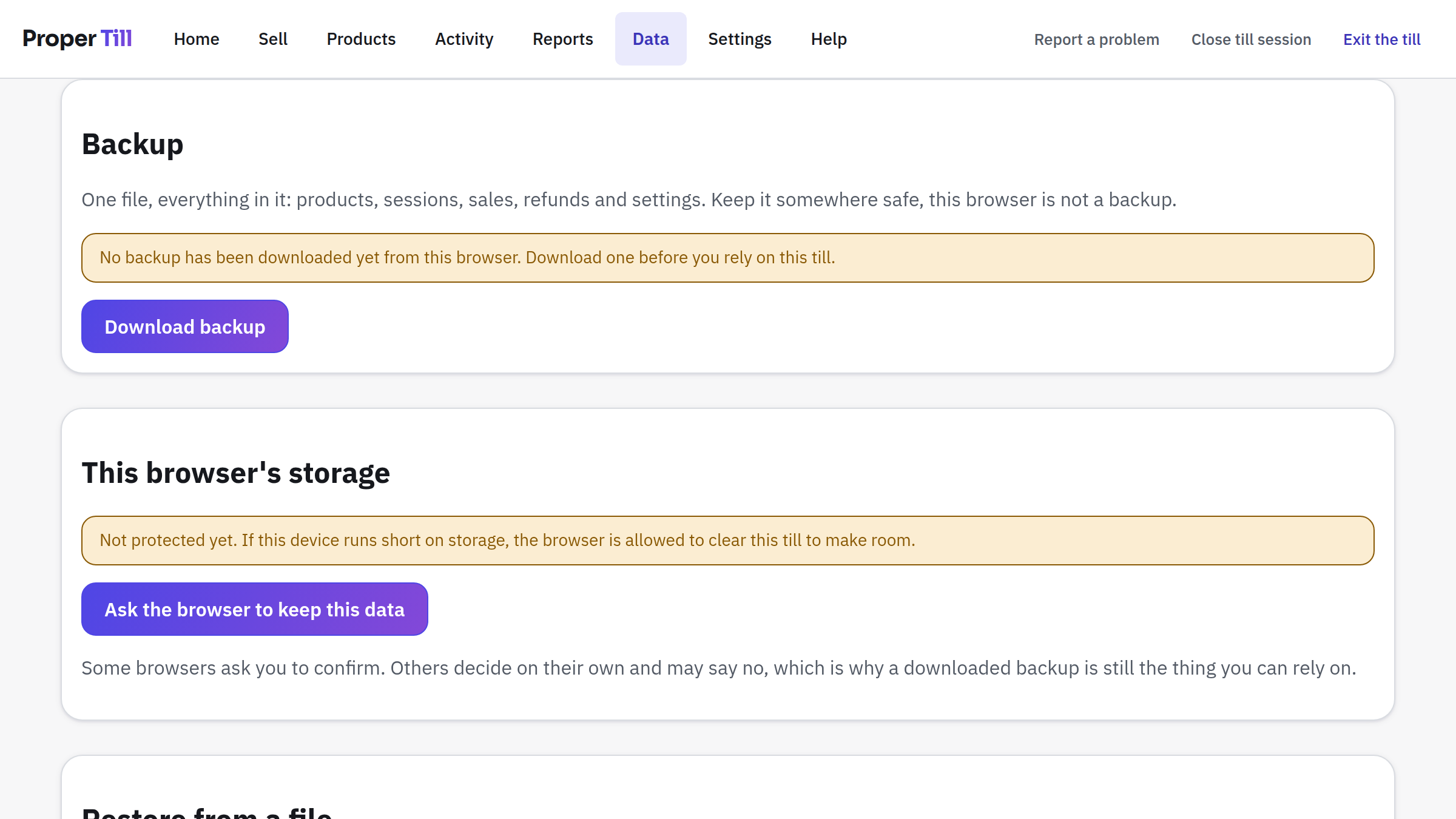
Proper Till saves your products, sales and settings in this browser's own database and does not upload them to Proper Till servers. You can download a full, versioned backup file whenever you like, and export your catalogue and reports as spreadsheets.
Browser storage is not a backup. Clearing browser data, losing the device, or switching browser profiles can remove the till. Proper Till reminds you to download backups, checks every backup before it will restore it, and never wipes your current data until a restore has fully validated.
Private/incognito windows are not suitable for real use: their storage is designed to vanish.
Who it's for
- Independent shops replacing handwritten totals with proper receipts.
- Cafés & bakeries that need clear buttons, weighed items and fast cash change.
- Market stalls & pop-ups that want a till without a contract.
- Pubs, bars & social clubs recording payments from an existing card terminal.
- Takeaways importing a product list and selling from favourites.
- Community shops & charity events setting up on whatever laptop is available.
- Specialist retailers that outgrew the spreadsheet but not into a heavyweight till system.
How it works
- Choose a starter pack or import your products. Or start empty. Your call.
- Review prices, categories and your till layout. Anything unpriced or with unresolved VAT is listed for you.
- Open a session and start selling. Cash change is calculated; card payments are recorded from your external terminal.
- Export reports and download regular backups. Your records, your files, your machines.
More of the till
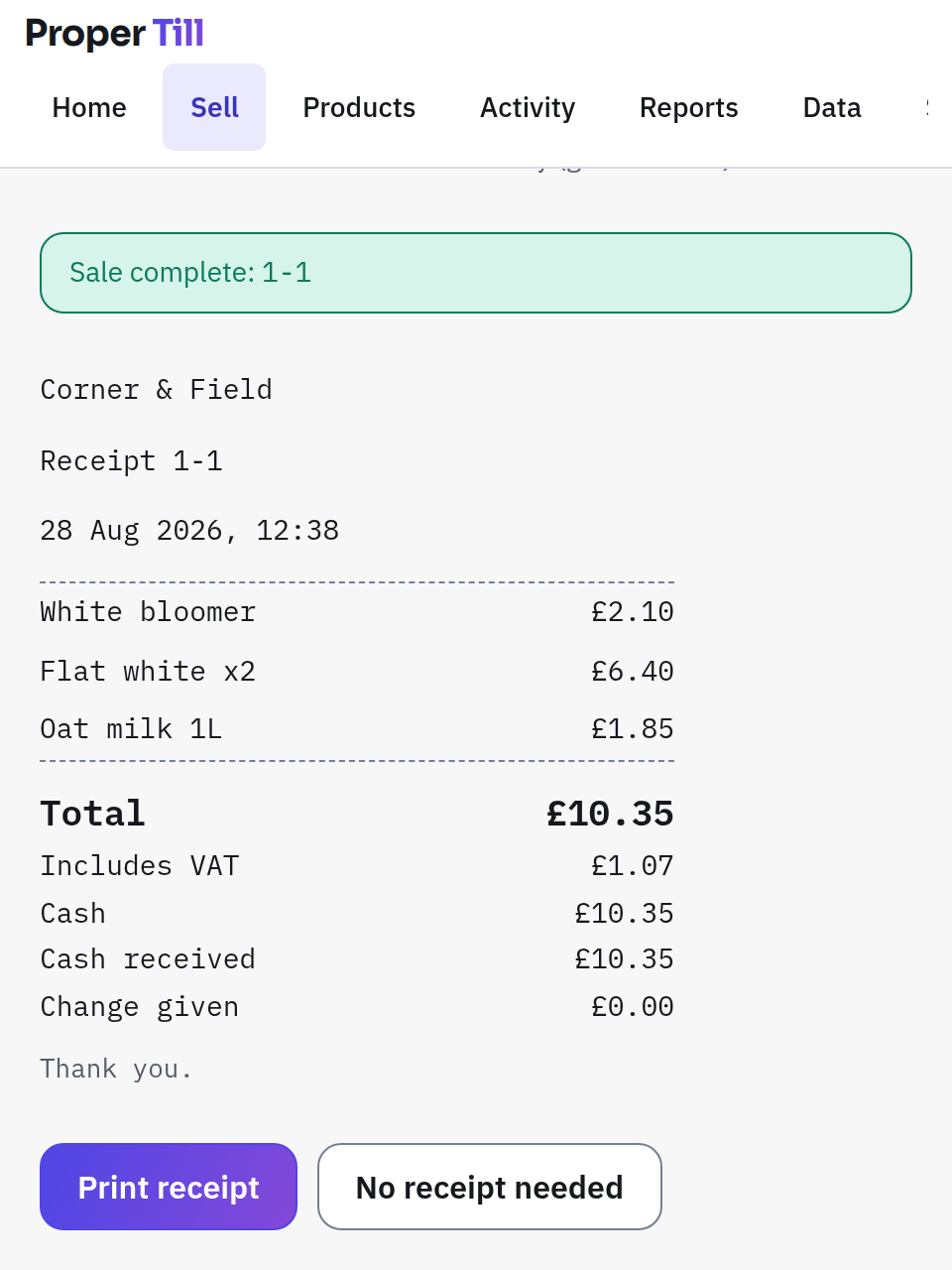
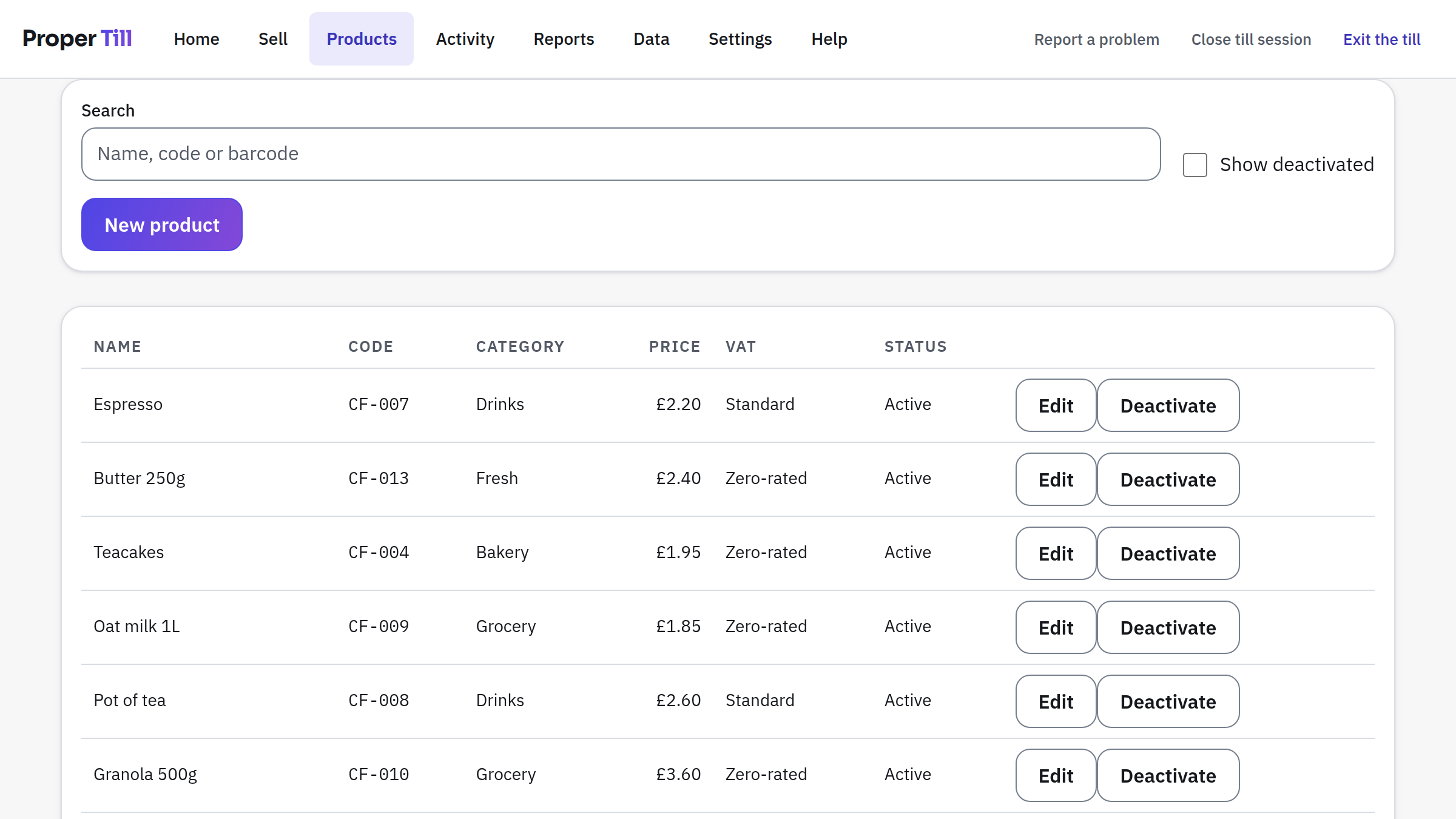
The smallest set of screens that shows the whole shape of it, from first setup to the drawer at close of play, all captured from a real till trading as the invented example business Corner & Field.
What Proper Till does, and doesn't
Proper Till records that a card payment happened.
Your external terminal processes the card. No card numbers, ever, anywhere.
Proper Till produces operational summaries.
It does not submit VAT returns, produce VAT invoices, or replace your accounts.
Proper Till saves data in this browser.
It does not provide automatic cloud backup or multi-device sync. Backups are files you download.
Questions, answered honestly
Is Proper Till really free?
Yes. No subscription, no paywall, no locked features in the initial product.
Do I need an account?
No. There is nothing to sign up for; the till is set up in your browser.
Where is my data stored?
In this browser's own database (IndexedDB) on your device. It is not uploaded to Proper Till servers.
What happens if I clear browser data?
The till and its records on that device are removed with it. That is exactly why Proper Till keeps reminding you to download backups: restoring one brings everything back.
How do backups work?
One button downloads a complete backup file. Restoring validates the file end to end first, and your current data is never wiped until the replacement has fully checked out.
Can I upload my current product list?
Yes. CSV at launch (a spreadsheet template is provided in CSV and XLSX), with column mapping and a full preview before anything is written.
Can I use a barcode scanner?
Yes. Any scanner that types like a keyboard works, which is most of them.
Can I use my current card terminal?
Yes. Take the card payment on your terminal as you do today; Proper Till records that it happened and keeps your totals straight.
Does it process card payments?
No, and it never collects card details. There is no field for them anywhere.
Does it work offline?
That is the design: after the first load the till works without a connection, because everything runs locally. Offline support is claimed per browser only once it has been properly tested there.
Can it print receipts?
Yes. Simple, honest receipts (and reprints marked as copies) through your browser's printing. A receipt is a receipt: it never claims to be a VAT invoice.
Does it work on iPad, desktop, laptop and mobile?
The till is designed for tablet counters, laptops and desktops, with Order Pad for phones. The supported-browser list will be published from real testing, not assumptions.
Is it an accounting or VAT-return system?
No. It produces operational till summaries, useful for cashing up and record-keeping, not a replacement for your accounts or VAT filings.
Can several devices share the same till?
Not in the initial product. Each browser holds its own till, and there is no sync. Moving data between machines is done with backup files, deliberately.
Which browsers are supported?
Recent versions of the major browsers are the target; the definitive list ships with the product once each has passed the full offline and recovery test suite. See the current position on browsers and devices.
A simpler kind of till is taking shape.
Explore the Proper Till conceptSee the planned experience across every device.